The internet is a fantastic tool, but the technical side can feel daunting. That’s why we started this 101 series, to break down the fundamentals of the web so you can understand how it all works.
Today’s topic is WordPress: the platform behind a huge share of the world’s websites, and one of the easiest ways for a small business to get online. By the end of this guide you’ll know what WordPress is, the one distinction that trips everyone up, and exactly what you need to build your first site. Let’s get started.
What is WordPress?
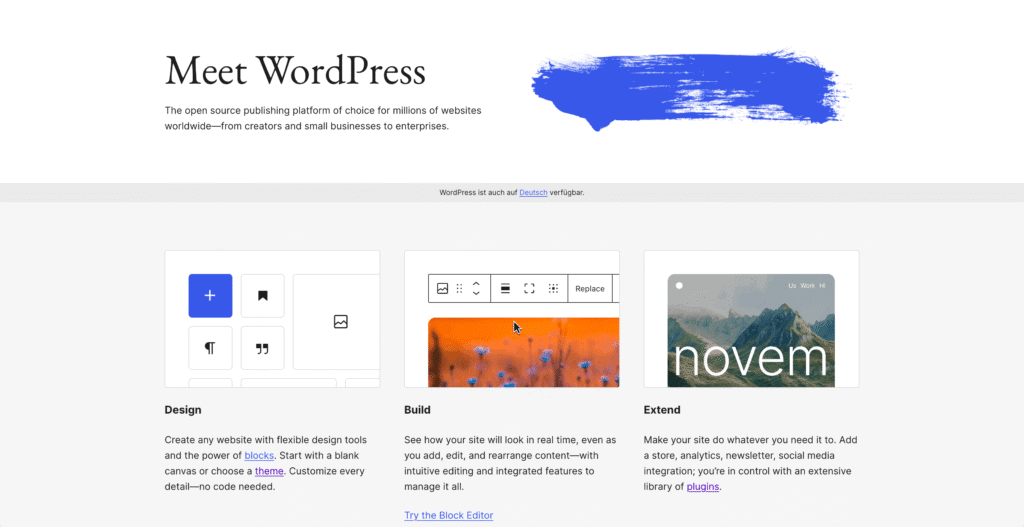
WordPress is a free, open-source platform for building and managing websites. It’s what’s known as a content management system (CMS): software that lets you create pages, publish content and run a website without writing any code yourself.
Originally launched as a blogging tool in 2003, WordPress has grown into a complete website builder used for everything from simple brochure sites to online stores and large business websites. Today it powers more than 40% of all websites on the internet, which makes it by far the most popular way to build a site.
WordPress.com vs WordPress.org: the crucial difference
What might feel confusing: “WordPress” actually refers to two different things:
| WordPress.com | WordPress.org | |
| What it is | A hosted service that runs WordPress for you | The free software you install on your own hosting |
| Hosting | Included, but limited on cheaper plans | You choose your own host |
| Custom domain | Paid plans only | Yes, always |
| Themes & plugins | Restricted unless on premium plans | Full access to everything |
| Control & ownership | Limited | Complete |
| Best for | Casual, personal blogs | Businesses wanting a real, flexible website |
For any business or serious project, WordPress.org, the self-hosted version, is almost always the right choice. It’s the one that gives you full control, your own domain, and access to every theme and plugin. It’s also the version that needs web hosting, which is where a host like Domain Central comes in.
When people talk about building a “WordPress website”, this is nearly always what they mean, and it’s what the rest of this guide covers.
Why is WordPress so popular?
WordPress didn’t reach 40% of the web by accident. A few things make it stand out:
- No coding required: You manage everything through a visual dashboard, so you can add pages, images and content by pointing and clicking.
- It’s free and open-source: The software itself costs nothing; you only pay for hosting and any premium add-ons you choose.
- Endlessly flexible: With themes and plugins (more on those below), the same platform can run a blog, a booking system or a full online shop.
- Search-friendly: WordPress produces clean, well-structured sites, and tools like Yoast make on-page SEO straightforward.
- You own it: Because it’s self-hosted, your website and its content belong to you, not to a platform that could change its rules or pricing.
What you need to build a WordPress site
Getting a WordPress website online comes down to a handful of ingredients:
| Ingredient | What it’s for |
| Domain name | Your web address (e.g. yourbusiness.com.au) |
| Web hosting | Where your website’s files live, WordPress needs hosting to run |
| WordPress software | The free platform itself, usually a one-click install |
| A theme | Controls how your site looks |
| Plugins | Add features like SEO, contact forms, security or a shop |
| Content | Your pages, posts, images and words |
The first two are the foundation. You’ll want a domain name for your address and WordPress hosting to run the site and good WordPress hosting handles the installation, updates and speed optimisation for you, so you can focus on your content rather than the technical side. New to domain names? You can find our guide here.
Themes and plugins, explained
Two features do most of the heavy lifting in WordPress.
A theme controls your site’s appearance: its layout, colours, fonts and overall style. There are thousands of free and premium themes, so you can pick one that suits your brand and customise it without touching a line of code.
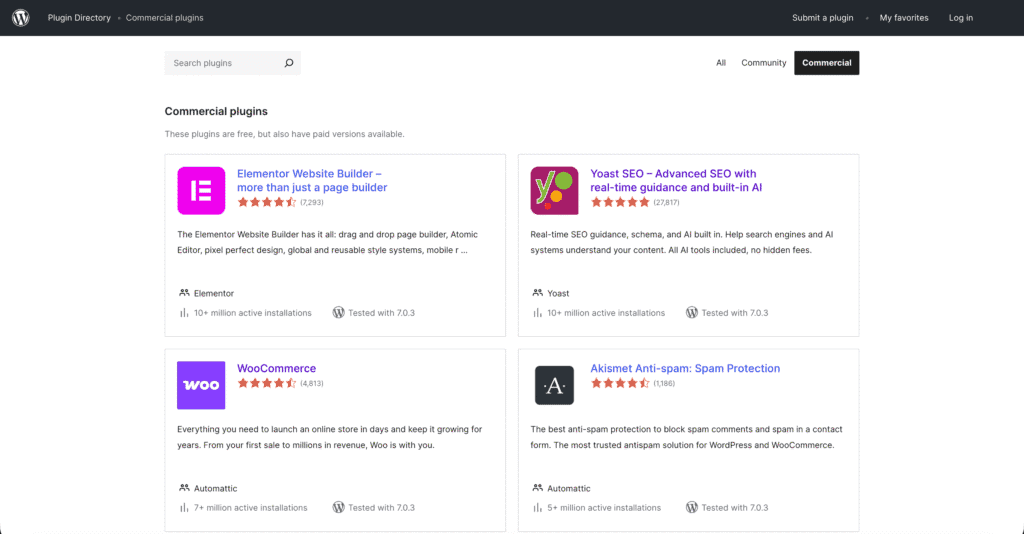
A plugin adds functionality. Think of plugins like apps for your website: one adds a contact form, another handles SEO, another turns your site into an online store (WooCommerce is the best-known), and others improve security or speed. There’s a plugin for almost anything you can imagine.
How to get started
Ready to build? The process looks like this:
- Register your domain name: choose the address people will type to find you.
- Set up WordPress hosting: this is where your site will live.
- Install WordPress: most good hosts offer a one-click install, so this takes minutes.
- Choose and customise a theme: set the look and feel of your site.
- Add the plugins you need: SEO, a contact form, security, and a shop if you’re selling.
- Create your content: build your pages, write your posts and add your images.
- Go live: review everything, then publish your site to the world.
If building it yourself feels like more than you want to take on, that’s completely fine. Our team can design and build a professional WordPress site for you through our Website Design service.
Keeping your WordPress site healthy
A WordPress site isn’t quite “set and forget”. Because it’s so widely used, it’s also a common target, so a little ongoing care keeps it fast and secure:
- Keep everything updated: WordPress, your theme and your plugins all release updates that fix bugs and close security holes. Out-of-date plugins are one of the most common ways sites get compromised.
- Back up regularly so you can restore quickly if anything goes wrong.
- Add an SSL certificate to encrypt your visitors’ data and earn the padlock in the browser.
- Use strong passwords on your admin account, ideally with multi-factor authentication.
If you’d rather not manage all this yourself, our WordPress Maintenance and Support service keeps your site updated, backed up and secure for you.
Frequently asked questions
Is WordPress really free? The software is free and open-source. You’ll pay for hosting and a domain, and optionally for premium themes or plugins but the platform itself costs nothing.
Do I need to know how to code to use WordPress? No. You manage everything through a visual dashboard. Themes and plugins handle the design and features without any coding.
Should I use WordPress.com or WordPress.org? For a business website, WordPress.org (the self-hosted version) is almost always the better choice. It gives you full control, your own domain and access to every theme and plugin.
Can WordPress handle an online store? Yes. With the free WooCommerce plugin, WordPress becomes a full-featured eCommerce platform.
Ready to build your WordPress site?
Whether you’re starting from scratch or moving an existing site, we make WordPress simple. Our WordPress Hosting is optimised for speed and comes with the tools you need to get going and our team is here if you’d like a hand. Get in touch or submit a support ticket from your Client Area, and we’ll help you get online.